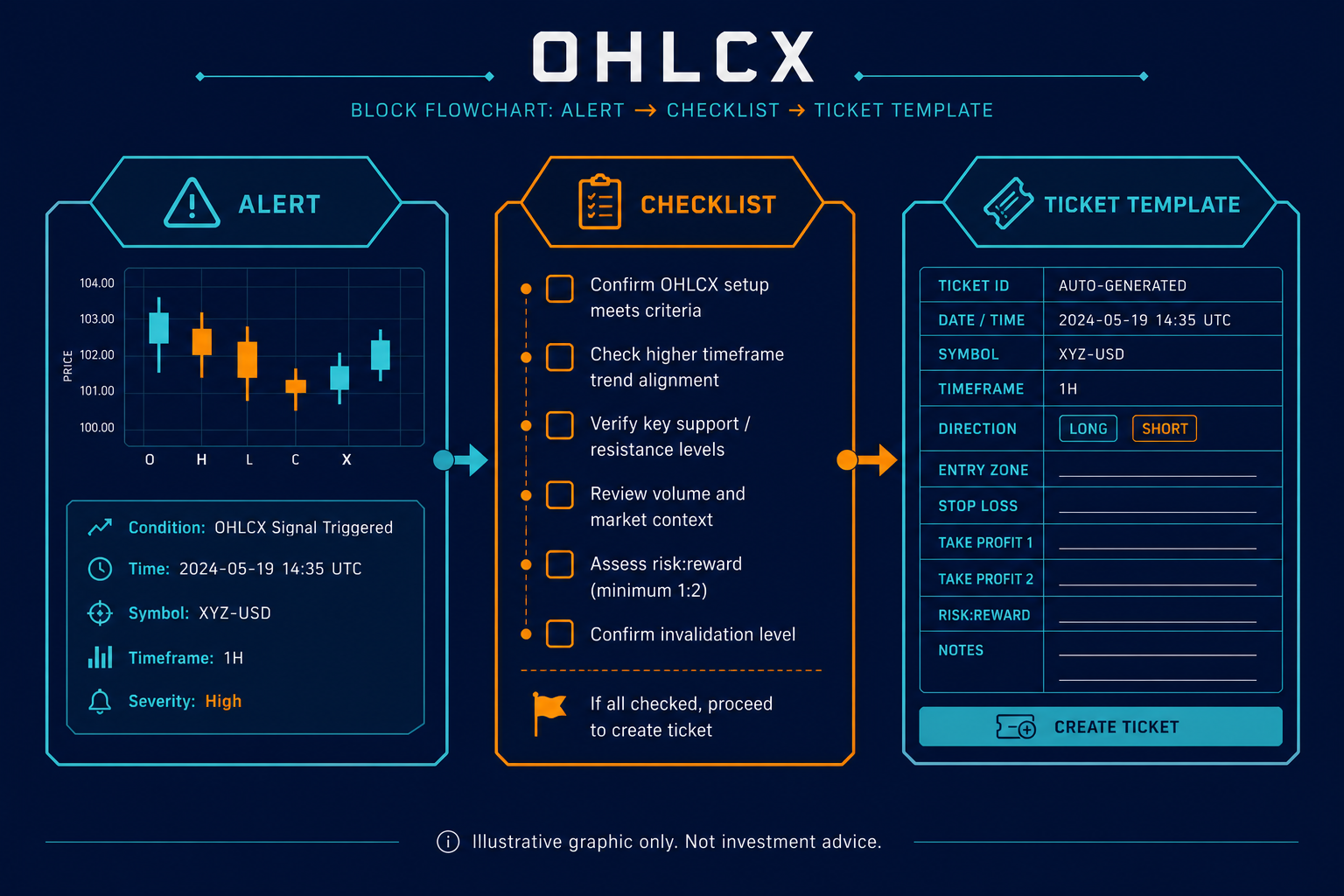
A recurring setup should not have to be rebuilt from scratch every time the trader sees it.
Many traders have patterns they recognize often. A pullback into a level. A breakout that needs confirmation. A continuation setup after a strong open. A reversal that only works when invalidation is close and clear.
Recognizing the setup is only one part of the trade. The order still has to be built. Entry, quantity, stop, target, partial exits, time-in-force, and account risk all need to line up before the order goes live. When that process is recreated manually each time, small differences can creep in.
The trader may still have the same idea, but the ticket may not reflect the same plan. A stop can move wider after a loss. A first target can shift because price is already moving. A partial exit can be skipped because attention is split across several names. A quantity can be entered too quickly.
That is where no-code automation can help.
Strategy Builder is not there to decide whether a trade is good. It helps traders turn a recurring setup into structured order logic, so the repeatable parts of the workflow are easier to use again.
OHLCX is built around that execution layer. The trader defines the setup, reviews the context, and decides whether the order should be sent. Strategy Builder and no-code automation templates can support that workflow by helping the trader carry a familiar plan into a more structured order path. Capital and custody remain with Schwab. Trading decisions remain with the user.
What does no-code automation mean in trading?
No-code automation in trading means using rules, templates, or structured workflows to repeat parts of the order process without writing code.
For an active trader, this is not about handing the account to a system and walking away. It is about taking something the trader already does often and making the order path easier to repeat. That may include the entry condition, stop logic, target, partial exit behavior, or other parts of the ticket that tend to follow the same structure.
The important distinction is simple: no-code automation does not make the trading decision. It helps structure the workflow after the trader has already defined the plan.
For OHLCX users, this connects directly to structured order logic. A recurring setup can be translated into a clearer order path instead of starting from a blank ticket every time. Exit-flow tools such as OCO, OTOCO, TRIM, TRIMMER, or TSP can be used when they fit the setup. Risk visibility can stay closer to the order workflow instead of being treated as a separate check after the fact.
What should automation handle, and what should the trader still decide?
Automation should handle repetition. The trader should handle recognition, context, and veto.
That means the trader still decides whether the setup is actually present. The trader still decides whether the market context supports the trade. The trader still decides whether account risk leaves room for the position. And the trader still decides whether the order should be sent, reduced, delayed, or skipped.
Those decisions should not disappear just because a setup is repeatable.
No-code automation is most useful after the trader has already made those judgments and wants the order workflow to reflect the plan more consistently. If the setup uses the same protective structure, Strategy Builder can help organize that logic. If the setup usually includes a partial exit, staged exit logic may belong in the workflow. If the setup should not be used when the account is already crowded in the same theme, that risk needs to be reviewed before adding more exposure.
This is why OHLCX’s positioning matters. OHLCX is not a broker, not a recommendation engine, and not a substitute for trader judgment. It helps traders express their own plan as structured order logic through a Schwab-connected workflow.
When is a setup ready for Strategy Builder?
A setup is ready for Strategy Builder when the trader can explain the repeatable parts clearly.
The setup does not have to be simple, but it does need to be defined well enough that the order logic is not changing every time. If the trader is still debating the entry, invalidation, size, stop, and exit structure from trade to trade, the setup may need more observation before automation is useful.
A trader should be able to answer a few practical questions:
- What has to happen before entry?
- Where is the setup wrong?
- How should size be handled?
- What stop or protective logic fits the trade?
- Does the exit plan include a target, partial exit, trail, or manual management?
- What conditions should pause or prevent the trade?
Those answers matter because they define what the ticket is supposed to do after the trader decides the setup is valid.
For example, a breakout setup may only make sense when the entry, stop, and first target have enough room between them. A pullback setup may require tighter invalidation and a planned partial exit if price returns to a prior level. A recurring options setup may need more caution around spread, liquidity, and slippage before the trader decides whether automation belongs in the workflow.
In each case, the setup is more than a chart pattern. It has order logic attached to it. Strategy Builder can help organize that logic when it is stable enough to repeat.
Where no-code automation can reduce mistakes
No-code automation can help when manual ticket building creates unnecessary variation.
A trader may know the setup but still build it differently under pressure. That is common in live markets. Price is moving, multiple positions may already be open, and the trader is trying to make quick decisions without losing track of risk.
This is where errors and drift can show up. Quantity can be keyed incorrectly. A stop can be placed in a way that no longer reflects invalidation. A target can be moved because the trader is reacting to speed instead of the plan. A partial exit can be left out even though it was part of the intended structure.
Strategy Builder can help reduce that kind of operational drift by giving the trader a more consistent starting point. The value is not that the tool knows better than the trader. The value is that the trader does not have to rebuild the same order path from memory every time.
The same idea applies to exit structure. OCO and OTOCO logic can help keep related entry, stop, and target decisions connected when appropriate. TRIM, TRIMMER, or TSP-style logic may fit setups where the trader already has a staged exit or protective habit. The tool should match the setup, not add complexity for its own sake.
A good template should make the order easier to verify before send. It should not make the trade harder to understand.
When should automation stay off?
Automation should stay off when the setup is not clear enough to repeat.
If the trader cannot explain the setup without changing the rules halfway through, the setup is not ready. If the trader keeps overriding the same part of the template, the template may not match the way the setup is actually traded. If the market context changes but the automation is treated as fixed, the workflow can keep preparing orders that no longer fit the environment.
There are also days when the setup may be clear, but automation still needs more caution. A major news window, wide spreads, low-liquidity names, unusual volatility, or correlated exposure across several open trades can all change whether a recurring setup should be used at full size, reduced, delayed, or skipped.
This connects to portfolio-level controls. A recurring setup may be valid by itself, but the account may not need another version of the same risk. If several manual or automated trades point back to the same theme, sector, macro view, or risk-on condition, the trader needs to see that before adding more exposure.
Risk Gauge thinking belongs in this decision. The question is not only, “Does this setup qualify?” It is also, “Does the account have room for this risk right now?”
Automation should make a defined workflow easier to run. It should not outrun the trader’s risk review.
Confirm before the order goes live
Automation does not remove the need to check the order.
Before send, the trader still needs to review the important pieces: quantity, entry logic, stop placement, exit spacing, time-in-force, and account risk. If the setup uses partial exits or attached orders, the trader should also confirm that the structure still matches the intended position.
This is especially important in live conditions. A template may be clear, but the market can change quickly. Spread, liquidity, volatility, and account exposure can all shift between the time a setup is recognized and the time the order is ready.
That does not mean the trader should overthink every order. It means the final check should be deliberate. Speed is useful only if the order still matches the plan.
For OHLCX users, this is where structured order entry and risk visibility work together. Strategy Builder can help prepare the repeatable order logic, but the trader still needs to confirm that the trade fits the live context before the order goes out.
Review automated setups as a group
A trader should not judge a template by one great trade or one frustrating loss.
The better review is to look at template-driven trades as a group. Did the workflow reduce the manual mistakes it was supposed to reduce? Did live fills behave differently than expected? Did the trader keep overriding the same field? Did the exit logic still fit after partial fills, slippage, or a different average price?
Those questions help separate a strategy issue from a workflow issue.
If the setup is sound but the trader keeps editing the same part of the ticket, the template may need adjustment. If live fills are consistently worse during a specific session window, timing may need review. If the template keeps appearing in names tied to the same theme, the trader may need a portfolio-level control before using it again.
The review should also include what happened after the order went live. Did the bracket still match the acknowledged position? Did partial fills change the remaining exposure? Did automation make the trade easier to manage, or did it create another thing the trader had to monitor?
This is where the live execution lesson matters. Paper or template rehearsal can show whether the workflow is understandable. Live execution shows whether that workflow survives real fills, slippage, partials, and trader behavior.
The point is not to make automation permanent. The point is to keep it honest.
Automate the workflow, not the judgment
No-code automation is most useful when it helps traders repeat what they already understand.
A recurring setup still needs context, risk review, and a decision from the trader before the order goes live. Strategy Builder should support that decision by making the order path easier to structure, verify, and repeat. It should not turn an unclear setup into a faster one.
OHLCX supports this kind of execution-first workflow. Traders can connect through Schwab, keep capital and custody with Schwab, and use OHLCX to structure entries, exits, automation, and risk visibility closer to the point where the order is built.
Automation does not make a setup better. It makes a defined setup harder to rebuild wrong.
To see the workflow in action, request a walkthrough through the OHLCX platform page.
Leave a Reply