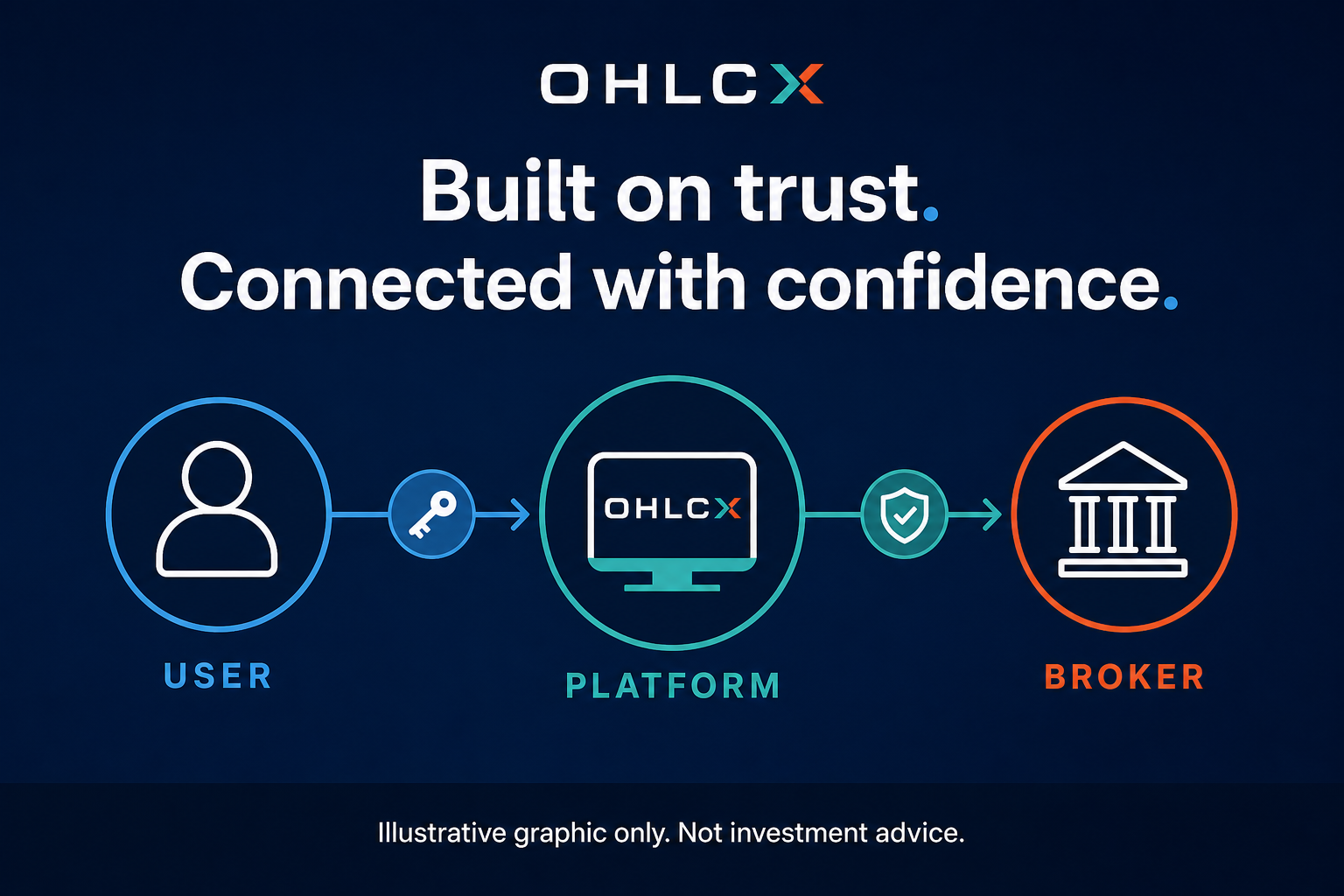
A secure broker connection is not just a login step. For active traders, connectivity affects the workflow before the first order, during the trade, and after any interruption.
If a trader reconnects after an interruption and assumes the platform still reflects the live account, the next order may be based on stale account or order information. That matters when positions are open, attached exits are working, or automation is part of the workflow.
That is why Schwab OAuth matters inside OHLCX. With OAuth, OHLCX connects to Schwab through a secure authorization flow. The trader authenticates with Schwab, approves the connection, and OHLCX receives authorized access through a secure token instead of the trader’s Schwab password. The connection is not permanent or hidden from the user. It can be disconnected when needed.
Capital and custody remain with Schwab, while OHLCX provides the broker-connected execution workflow the trader uses to build, review, and send orders.
That is a meaningful security feature for the user. The trader can connect OHLCX to Schwab without sharing Schwab credentials with OHLCX, and the platform can support structured trading workflows without treating security as something separate from execution.
What does Schwab OAuth change in a trading workflow?
Schwab OAuth changes how the trader connects the account, how access is maintained, and what the trader should check when the connection state changes.
In plain terms, OAuth means OHLCX can connect to the trader’s Schwab account without collecting or storing Schwab login credentials. Access is handled through a secure token, which refreshes automatically in the background roughly every 23 to 30 minutes during normal use.
For the trader, this keeps the roles clear. Schwab remains the broker and custodian for the account, funds, and brokerage relationship. OHLCX provides the execution workflow for structured orders, exit flows, automation, and risk visibility.
That matters because OHLCX is not a broker and does not take custody of funds. The trader connects through Schwab, works in OHLCX, and keeps the brokerage relationship with Schwab.
The practical takeaway is simple: secure connectivity is part of the trading workflow, not an IT detail off to the side.
Why does connection visibility matter before the order is sent?
Before an order goes live, the trader needs confidence that the account state is current. That means the right account is connected, positions and orders are visible, and the trader can see the information needed to build the order. In OHLCX, the connection status indicator in the platform header gives the trader a visible cue that the Schwab connection is active. If the connection is interrupted, OHLCX surfaces the issue with a prominent red banner at the top of the platform.
That visibility matters because a connection issue should not be hidden inside the workflow. If the platform is clearly showing that the connection needs attention, the trader has a reason to pause, reconnect if needed, and verify live account state before sending or adjusting orders.
This matters even more when the ticket includes attached logic. OCO, OTOCO, TRIM, TRIMMER, and TSP-style exits all depend on the trader knowing what order is being sent and what protection or exit structure is attached. Strategy Builder and no-code automation templates also depend on the same basic truth: the workflow needs a valid connection before it can be trusted as an execution path.
A clean connection does not make the trade good. It helps the trader work from a clearer view of the account and order workflow before deciding whether to send it.
What should traders verify after a reconnect?
A reconnect should trigger a check, not a rush. If the connection is interrupted during the trading day, the trader should not assume everything on screen still matches the live account. OHLCX makes the interruption visible through the red banner, but the trader still needs to confirm the account and order state before sending another order or adjusting an open trade.
The check does not need to be complicated. The trader should verify:
- Which account is connected
- Whether the connection status indicator shows an active Schwab connection
- Whether any interruption banner has cleared
- Which positions are open
- Which orders are working
- Whether attached stops, targets, or exits still match the live position
- Whether any partial fills changed the remaining size
- Whether Risk Gauge visibility still reflects the account state the trader is using to make decisions
This is especially important around fast markets, macro events, opens, closes, or any moment where a trader may feel pressure to act quickly.
If the interruption affected an open order, partial fill, or automation workflow, a short note in the trade journal can make the post-trade review more useful. The point is not to create paperwork. It is to make sure the trader can later separate a market problem from a connection, workflow, or verification problem.
The point is not to make the workflow slow. The point is to avoid trading from stale information. If the trader thinks a bracket is attached but the live account says otherwise, the trader needs to know that before the next decision.
How does OAuth affect structured orders and automation?
OAuth does not decide the trade. It supports the authenticated connection between the trader’s workflow and the Schwab account.
That distinction matters. A secure connection does not choose the setup, set the stop, or decide whether automation should be active. The trader still owns the plan. OAuth helps support authorized access before structured order logic, exit flows, or automation are used with the live account.
For OHLCX users, this is where connectivity ties directly into execution. Structured order entry, Strategy Builder, OCO, OTOCO, TRIM, TRIMMER, TSP, and Risk Gauge all depend on the trader being able to see and act from current account information.
If a trader uses Strategy Builder or no-code automation templates, connection state should be part of the pre-send review. The question is not only, “Does this setup qualify?” It is also, “Is the account connected, current, and ready for this order path?”
Automation should not outrun connection checks. If the trader sees a connection warning, or if the live account state does not match what they expected, the right move is to pause and verify before sending or resuming automated activity.
Does OAuth remove trading risk?
No. OAuth improves the security and clarity of the connection, but it does not remove market risk.
Slippage, gaps, halts, wide spreads, partial fills, and correlation risk still belong to the trading process. A secure connection does not make a trade safer by itself. It helps reduce a different kind of risk: the risk of working from unclear access, stale state, or credential practices that do not belong in an active execution workflow.
That distinction keeps the claim honest. OAuth supports secure connectivity. Structured order entry supports a clearer ticket. Risk Gauge supports risk visibility. Strategy Builder supports repeatable workflows. None of those replace the trader’s judgment.
The value is that these pieces can work closer together. The trader connects through Schwab, builds the order in OHLCX, checks risk before send, attaches the exit logic that fits the plan, and verifies live state after interruptions.
What should be part of a daily connectivity routine?
A daily connectivity routine should be simple enough to use. Before the trading session, the trader should confirm that the Schwab connection is active, the correct account is selected, positions and orders are visible, and the platform is showing the information needed to build orders responsibly. In OHLCX, that includes checking the connection status indicator in the header before relying on the platform for live order decisions.
Because OHLCX refreshes the secure access token automatically in the background, the trader should not have to manually reconnect every time the token renews during a normal session. The more important habit is knowing what to do when continuity breaks. If a red interruption banner appears, the trader should pause, reconnect as needed, and verify live account state before continuing.
Before a high-volatility window, the trader may need another check. If a major economic release, earnings event, or fast market is approaching, it is better to confirm connection state before the pressure starts. Waiting until the trader is already trying to send or adjust an order creates unnecessary stress.
After a reconnect, the trader should confirm positions, working orders, attached exits, partial fills, and account risk. If the trader uses automation, they should also confirm whether the automation workflow should remain active, be paused, or be reviewed before continuing.
The routine is not about becoming an IT person. It is about treating connectivity as part of execution discipline.
Keep secure connectivity tied to execution discipline
Secure connectivity is not separate from the trading workflow. A trader can have a strong setup, a clean order ticket, and a defined exit plan. But if the connection state is unclear, the trader still needs to slow down and verify what is live. That is especially true when attached orders, partial fills, or automation are part of the workflow.
OHLCX is built for this middle layer between plan and execution. The trader connects through Schwab, keeps capital and custody with Schwab, and uses OHLCX to work with structured order entry, exit flows, automation, and risk visibility in one execution-focused workflow.
OAuth does not make the trading decision. It gives the trader a more secure way to connect before making one.
The value is not speed by itself. The value is knowing when the connection is active, when the platform is warning the trader to pause, and when to verify before speed matters again. To see how OHLCX connects through Schwab and supports structured execution workflows, request access through the OHLCX contact page.
Leave a Reply