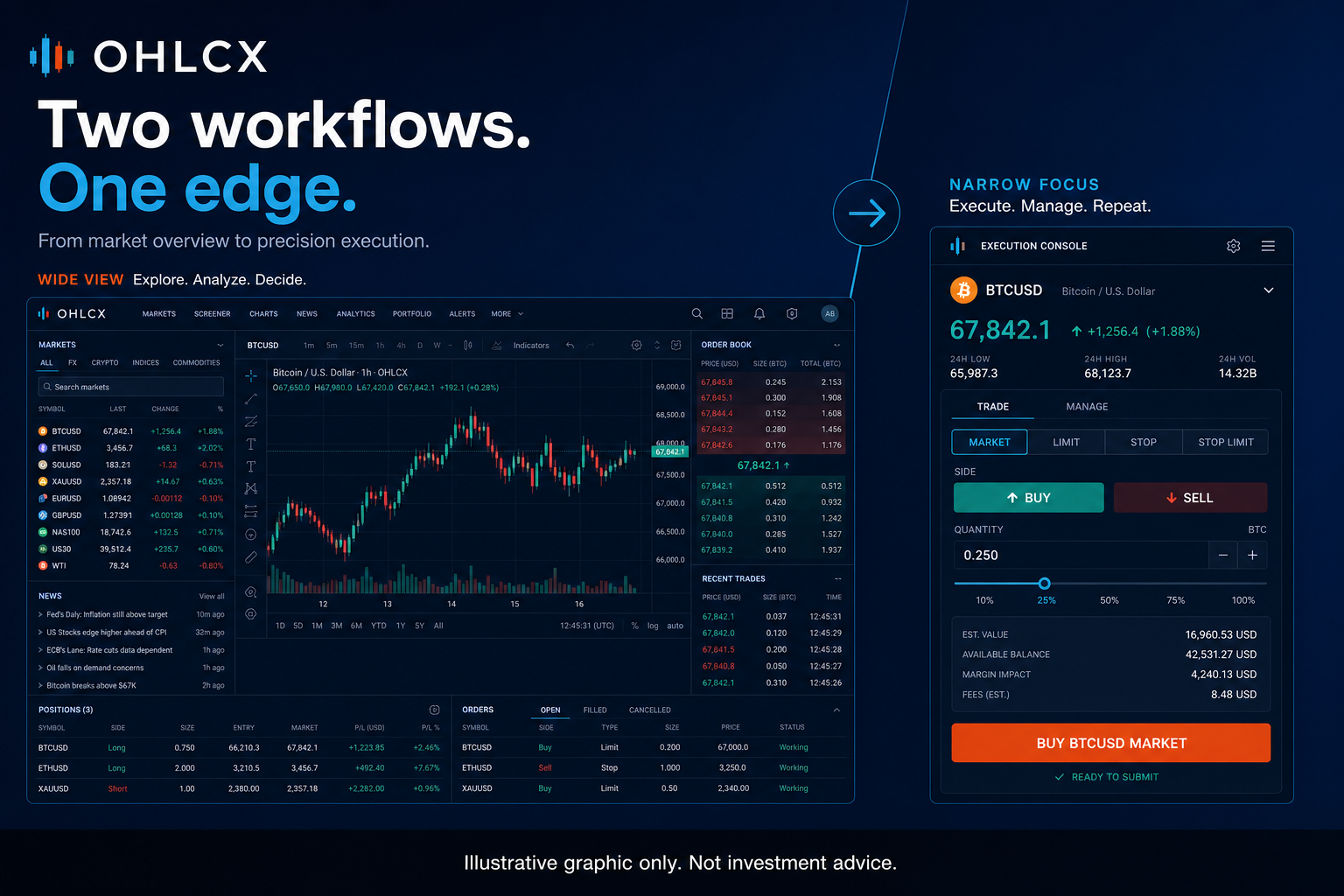
Choosing between broker-native tools and a dedicated execution layer is not about replacing the broker. It is about deciding where the trading workflow needs more structure.
Broker platforms are built to support a wide range of account types, order types, disclosures, operational requirements, and user behaviors. That breadth matters. For simple orders, long-term positions, cash and margin views, and account-level administration, native broker tools are often the center of the relationship.
The question changes when the workflow becomes more active. A trader managing several setups, multiple positions, partial exits, and bracket logic needs more than access to an order ticket. They need a repeatable process between the trading idea and the order being sent.
OHLCX sits in that middle layer. It connects through Schwab, keeps capital and custody with Schwab, and adds a broker-connected execution workspace for structured order entry, staged exits, risk visibility, and optional rule-based automation.
The broker remains the account and routing foundation. OHLCX is designed to make the execution workflow more deliberate before the order goes live.
What broker-native tools do well
Broker-native tools are strong for straightforward tickets and account management.
If a trader is entering a single market or limit order, placing an occasional protective stop, checking balances, or reviewing account-level details, native tools can be enough. They provide the core broker environment, house rules, routing disclosures, statements, margin information, corporate actions, and account administration.
That matters. A dedicated execution layer should not pretend the broker is irrelevant. The broker is where the account lives. It is also where clearing, custody, compliance, and official order status remain anchored.
For many traders, that setup works well until the execution workflow becomes more complex. The pressure point usually does not show up in the idea stage. It shows up when a trader has to translate a plan into the correct order structure quickly and consistently.
When is broker-native enough, and when is it not?
Broker-native tooling can start to feel heavy when the trader is rebuilding the same execution logic again and again.
That may include:
- Entering with bracket logic attached
- Setting OCO or OTOCO order structures
- Scaling out of options contracts in stages
- Adjusting stop behavior after partial fills
- Checking portfolio heat before adding exposure
- Moving between charts, watchlists, options chains, and order tickets while price is moving
The issue is not that broker-native platforms are weak. It is that they are general-purpose by design. They need to support many types of users, from occasional investors to active options traders.
A dedicated execution layer earns its place when it reduces the number of manual steps required to express a trader’s own rules.
This is especially important for active traders because execution errors are often small at the input level and larger at the trade-management level. The wrong side, wrong size, missing stop, or delayed exit adjustment can change the risk profile of a trade before the trader has time to correct it.
What is a dedicated execution layer?
A dedicated execution layer is a trading workspace that sits between the trader’s plan and the broker’s order-routing environment.
It does not replace the broker. It does not hold funds. It does not decide what to trade. Its role is to give traders a more structured way to build, review, and send orders based on their own rules.
In OHLCX, that means the trader can connect through Schwab and work from an execution-focused environment where order entry, exit selection, options context, portfolio visibility, and automation features are organized around the live trading workflow.
The value is not novelty. The value is fewer places for the plan to break down before the order is sent.
How OHLCX fits into the workflow
OHLCX is built around a practical idea: when the strategy calls for an exit plan, the trader should be able to define that logic before the order goes live.
That is where structured order entry becomes the spine of the workflow. Instead of treating exits as something to manage only after the position is open, OHLCX lets traders choose from supported exit flows at the point of entry, including TSP, OCO, OTOCO, TRIM, and TRIMMER.
For a trader managing options contracts or staged equity exits, this matters because the plan is often more than “buy here and sell later.” It may include a stop, a profit target, a first trim, a second trim, or a rule for how the remaining position should be handled after partial exits.
OHLCX does not make that decision for the trader. It gives the trader a clearer way to turn the decision into executable order logic.
This also connects naturally to Strategy Builder for users who want repeatable automation workflows. The point is not to automate judgment. The point is to encode the repeatable steps that should not have to be rebuilt from scratch every time.
Risk visibility before the order is sent
A dedicated execution layer should not only make order entry faster. It should also make risk easier to see before the trader adds exposure.
OHLCX’s Risk Gauge and portfolio views help keep position size, buying power use, and exposure visible inside the workflow. That matters because risk is not only the stop on one position. It is the relationship between the new trade, the open book, and the capital already deployed.
For active traders, this can help prevent a common problem: making each ticket look reasonable in isolation while the total account becomes too concentrated, too directional, or too exposed to the same theme.
A better execution workflow should help traders ask practical questions before sending the order:
- Does this trade fit the current exposure?
- Is the stop or exit logic already defined?
- What happens if only part of the position fills?
- Is the next action clear if the trade moves quickly?
- Can the trader verify what is resting at the broker?
A practical way to compare the two
The best comparison is not broker-native versus dedicated layer in theory. It is whether the current workflow produces clean, repeatable execution under real trading conditions. A trader can evaluate the fit by looking at where mistakes or delays actually happen.
Use broker-native tools when:
- Orders are simple
- Trades are infrequent
- Exits are managed manually without issue
- Account administration is the main need
- The native workflow is already fast and consistent
Consider a dedicated execution layer when:
- Bracket orders and conditional exits are routine
- Staged partial exits are part of the strategy
- Options positions need tighter workflow control
- Multiple setups are managed at the same time
- Portfolio heat should be checked before adding risk
- Repeated manual order setup is creating drift
- Rules need to be prepared before the order goes live
This is not about adding another screen for the sake of it. A dedicated layer should reduce friction, not create a second place to maintain the same information.
How to move without doubling the workflow
The weakest way to adopt a dedicated execution layer is to treat it like a full replacement on day one. A cleaner approach is to test it against the parts of the workflow that are already causing friction.
Start with one or two order types or setups. Compare how long it takes to build the order, attach the exit, verify the structure, and confirm what rests at the broker.
For options traders, pay close attention to partial exits, stop behavior, and whether the platform makes the next action clearer after the first leg fills.
Traders should also keep a fallback workflow. If a platform, data feed, broker connection, or device session has an issue, the trader needs to know how to verify open orders, cancel orders, flatten exposure, or pause automation directly through the broker.
That is not a lack of confidence in the execution layer. It is basic trading discipline. Any active workflow should have a degraded-mode plan before it is needed.
Choosing the right execution setup
Broker-native tools are not inferior. They are broad, necessary, and often enough for simple workflows.
A dedicated execution layer is for traders who need more structure between their plan and the live order. It is most useful when repeatable order logic, attached exits, staged trims, risk visibility, and optional automation are part of the way the trader already works.
OHLCX is designed for that environment. It keeps the broker relationship intact while giving active traders a more deliberate workspace for turning trading rules into executable order logic.
If your current workflow is already clean, consistent, and easy to verify, broker-native tools may be enough. If the gap is happening between the idea, the ticket, and the exit plan, OHLCX is built for that part of the stack.
Request access to compare OHLCX against your current broker-native workflow, or explore the platform to see how structured order entry, exit logic, and automation work beside Schwab.
Leave a Reply