OHLCX connects to your Schwab account and helps traders structure orders, exits, risk controls, and optional automation before a trade goes live.
Learn how OHLCX supports rule-based execution, how OHLCX Pro adds strategies and signals, and why trading decisions stay in the user’s hands.
Most trading friction does not come from running out of ideas. It shows up in the gap between a plan and the order that actually goes live.
Prices move. Brackets need attention. Partial exits create follow-up decisions. A clean setup can become harder to manage once the session is active and the trader is moving between charts, tickets, positions, and risk.
OHLCX is built for that middle layer.
It is a broker-connected execution platform for U.S. equities, ETFs, options, and futures. OHLCX connects through Schwab, keeps capital and custody with Schwab, and gives traders a structured place to build orders, choose exits, review risk, and use optional rule-based automation before a trade goes live.
OHLCX is not a broker. It is not a recommendation engine. It is not a substitute for trader judgment.
The trading decision stays with the user. OHLCX helps turn that decision into executable order logic.
What does OHLCX do?
OHLCX sits on top of an existing Schwab brokerage account. Once connected, the platform gives users access to the trading workflow they need to view account information, build orders, review positions, work with charts, manage exit logic, monitor risk, and use automation features depending on the selected plan.
The goal is not to tell users what to trade.
The goal is to help traders express their own rules more clearly inside the order workflow. That includes structured order entry, advanced exit logic, partial exit controls, risk visibility, persistent defaults, keyboard shortcuts, watchlists, live quotes, asset-level research views, and optional automation through OHLCX Pro.
For individual traders, that can reduce the need to rebuild the same order logic manually. For professional users and teams, it provides a broker-connected execution layer without requiring the underlying infrastructure to be built from scratch.
Connect once, then work in one platform
OHLCX connects through Schwab’s OAuth authorization flow. Users authorize access through Schwab, and OHLCX does not receive or store Schwab login credentials.
No broker switch is required. Funds do not move into OHLCX. Capital and custody remain with Schwab, while OHLCX functions as a technology layer for execution, workflow, and automation. Orders route through Schwab, and trading decisions remain with the user.
The connection is built around official broker API access, not screen-scraping, browser macros, or an extra middleware layer between the trader and the live brokerage account.
Once the connection is active, traders can work from one platform environment instead of splitting the process between a broker ticket and a separate set of tools. Orders, positions, charts, options, analytics, risk views, and automation features can sit closer to the execution workflow.
That matters because execution is not only the final click. It includes the order structure, the exit plan, the risk check, and the review before the order goes live.
Exit logic starts before the order goes live
A trade does not become more manageable because the entry was clean. It becomes more manageable when the exit plan is part of the order workflow from the start.
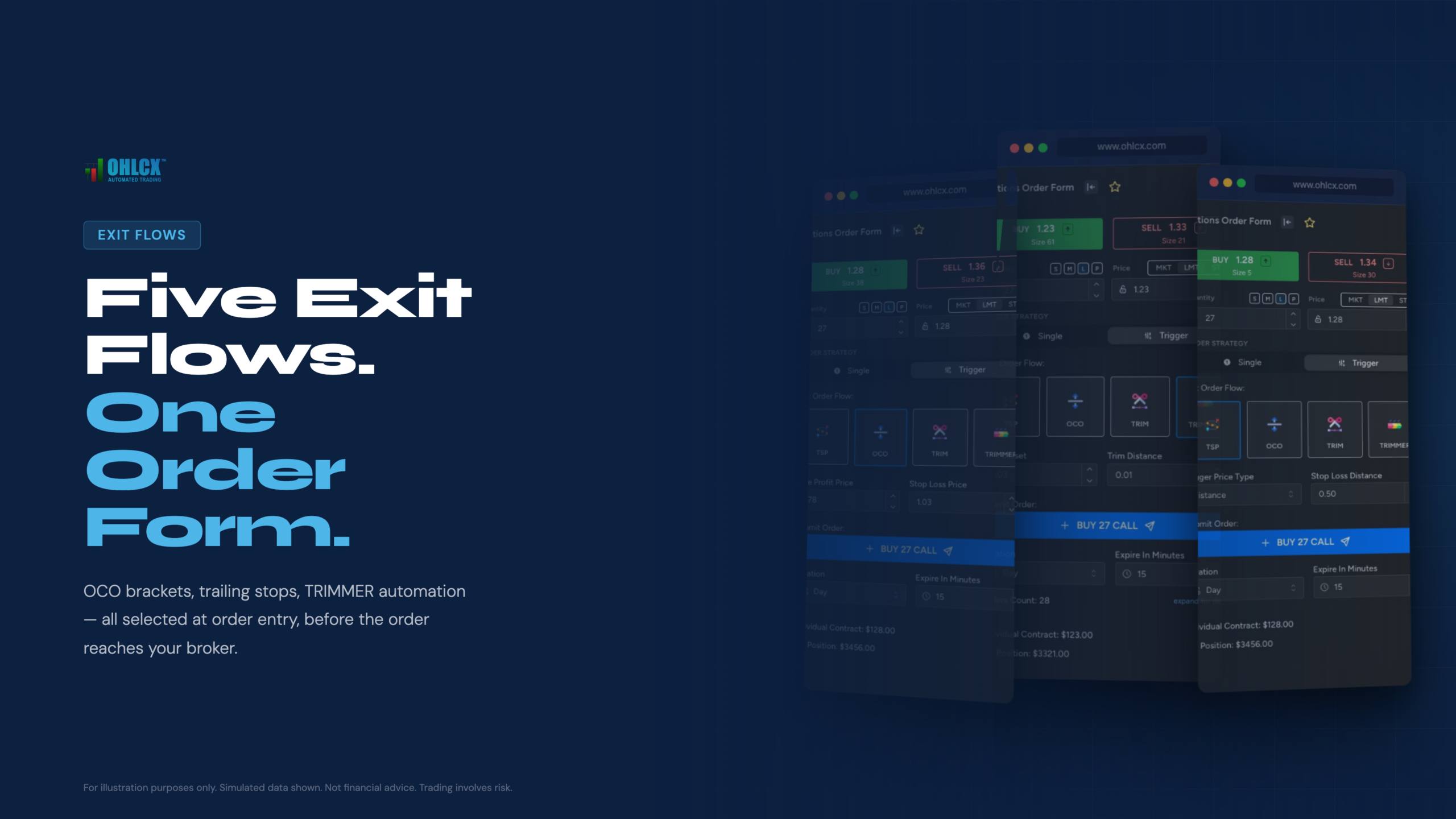
OHLCX supports market, limit, and stop order types, along with exit flows that can be selected before the order is sent:
- TSP: A trailing stop price flow that follows favorable price movement and helps protect gains if price reverses.
- OCO: A linked target and stop where one side cancels the other if filled.
- OTOCO: An entry order that triggers an OCO bracket after the entry fills.
- TRIM: A staged exit flow for traders who want to define partial exits ahead of time.
- TRIMMER: A customizable staged exit engine where traders define the rules and OHLCX executes those rules as configured.
The point is not to remove judgment from the trade. The point is to make the exit decision part of the order, instead of leaving it as a separate manual task after the fill.
For active traders, that can be the difference between a repeatable process and a series of one-off decisions made under pressure.
Risk management that is visible, not decorative
Risk management is not useful if it only exists outside the workflow.
OHLCX includes Risk Gauge visibility tied to capital deployment, buying power utilization, and user-defined exposure zones. Traders can also review portfolio views with market value, cost basis, unrealized P&L, and allocation across the connected Schwab account.
That kind of visibility matters before the next order goes live. A setup can look valid on the chart while the account is already carrying too much exposure, too much theme overlap, or more open risk than the trader intended.
OHLCX also includes bulk action controls for situations where exposure needs to be reduced quickly, including broad liquidation and targeted kill actions for buys, calls, or options.
These controls do not replace a trading plan. They support the operational side of risk management by making exposure easier to see, review, and act on from one workspace.
Built around the way traders actually work
Trading workflows are personal. A trader should not have to rebuild the same order setup, risk posture, or exit preference every time they log in.
OHLCX is built around user-defined defaults. Order preferences, exit flows, risk settings, keyboard shortcuts, and watchlist layouts can be configured around how a trader actually trades. Those preferences persist across sessions, which helps reduce unnecessary rebuilding and last-minute drift.
Keyboard shortcuts add another layer of control. The hotkey generator allows traders to bundle direction, sizing, price mode, and exit flow into a faster execution sequence. For traders who care about consistency, that can reduce the number of manual steps between decision and send.
Watchlists stream across platform views, with custom lists saved per account. Floating panels can keep positions, P&L, and risk visible while users move through charts, settings, and other platform areas.
The Asset Detail view also matters here. A trader can review chart context, options data, Level 2 depth, technical indicators, instrument details, and the order ticket from one instrument-focused workspace. The point is not more data for its own sake. The point is to keep analysis, sizing, exits, and order routing closer together.
More data does not automatically create better trades. The value is that the workflow stays coherent: analyze the instrument, configure the order, check the risk, choose the exit path, and route the trade without rebuilding the process across disconnected tools.
What is the difference between OHLCX Light and OHLCX Pro?
OHLCX is structured around two main tiers: Light and Pro.
OHLCX Light is the execution-focused tier. It includes the broker-connected platform, advanced order ticket, five exit flows, TRIMMER, risk and portfolio tools, charts, watchlists, account views, bulk actions, keyboard shortcuts, billing dashboard, and security settings.
Light is built for traders who manage their own setups and want a more organized way to place and manage orders.
OHLCX Pro adds the automation and signal-review layer. It includes everything in Light, plus Strategy Builder, Signals Feed, Analysis Feed, Advisory Mode, Fully Automated Mode, OHLCX AI Agent, and community features.
Pro is built for users who want to manage more repeatable setups, reduce repeated manual steps, and separate research, signal review, and execution more clearly.
The distinction is important. Automation in OHLCX is optional and rule-based. It does not replace the trader’s responsibility for the setup, the risk, or the decision to use automation. In Advisory Mode, signals surface for review before execution. In Fully Automated Mode, orders can route when user-defined conditions are met.
When automation is used, the value is not only speed. The workflow also needs to be explainable: what rule fired, what order was created, and what happened next.
The user still defines the rules.
Billing and access
OHLCX is invitation-only at this stage.
Billing is usage-based, with credits purchased through Stripe and tracked in the billing dashboard. Credits do not expire, and no monthly subscription is required. Advanced features consume credits per order, with pricing based on the selected credit package and user configuration.
This model ties platform usage to advanced order activity rather than requiring a fixed subscription regardless of trading volume.
Before publishing, current pricing and package details should be verified against the OHLCX pricing page.
Who is OHLCX built for?
OHLCX serves several overlapping groups of traders and operators.
For active retail traders, it provides a more structured way to manage entries, exits, partials, and risk. For professional traders, it supports faster execution, repeatable order logic, portfolio visibility, bulk controls, and optional automation.
For fintech developers, OHLCX offers a broker-connected execution environment with infrastructure already in place. For RIAs, fund managers, and institutional operators, OHLCX can support white-label licensing, team workflows, and multi-seat deployment.
The breadth matters because OHLCX is not only a retail trading tool. It is also a product story about broker API connectivity, modular architecture, and operational controls that more advanced users recognize.
The common thread is execution control.
Built for the middle layer between plan and order
OHLCX helps traders turn a plan into executable order logic while keeping the final decision with the user.
It connects through Schwab. Capital and custody remain with Schwab. The trader uses OHLCX to configure orders, exits, partials, risk controls, and optional automation before the trade goes live.
That is the role of the platform: not to replace the trader, not to recommend the trade, and not to take over the brokerage relationship.
OHLCX is the deliberate middle layer between the plan and the live order.
To see the workflow in action, request a walkthrough through the OHLCX platform page.